Metronome
Pick the tempo in BPM and how many beats the bar has, press Start and practice in time. The click marks every beat, the light follows it and, on a phone, the vibration helps when the sound gets lost in a loud rehearsal. It works in the browser, with nothing to install.
Reference tempos
| Term | BPM | Feel |
|---|---|---|
| Largo | 40–60 | very slow, broad |
| Adagio | 66–76 | slow, at ease |
| Andante | 76–108 | walking pace |
| Moderato | 108–120 | moderate |
| Allegro | 120–168 | fast, bright |
| Presto | 168–200 | very fast |
With no JavaScript, the tempo table above still works as a reference for setting the beat by ear.
How to use it
- Drag the tempo slider to the BPM you want, from 40 to 240.
- Pick how many beats the bar has and whether the first beat is accented.
- Press Start and follow the click, the light on each beat and, on a phone, the vibration.
- Use the tempo table to find the BPM of a marking like Andante or Allegro.
What it is for
A metronome shows where you rush or drag. Practicing with it steadies your time and keeps chord changes clean.
- Practicing a chord change slowly, then raising the tempo a little at a time.
- Repeating a strumming pattern until every bar sounds the same.
- Playing a song at its original tempo after learning it slower.
- Counting in a band or a group on the same beat.
In the app: the Metronome and the Rhythm Trainer
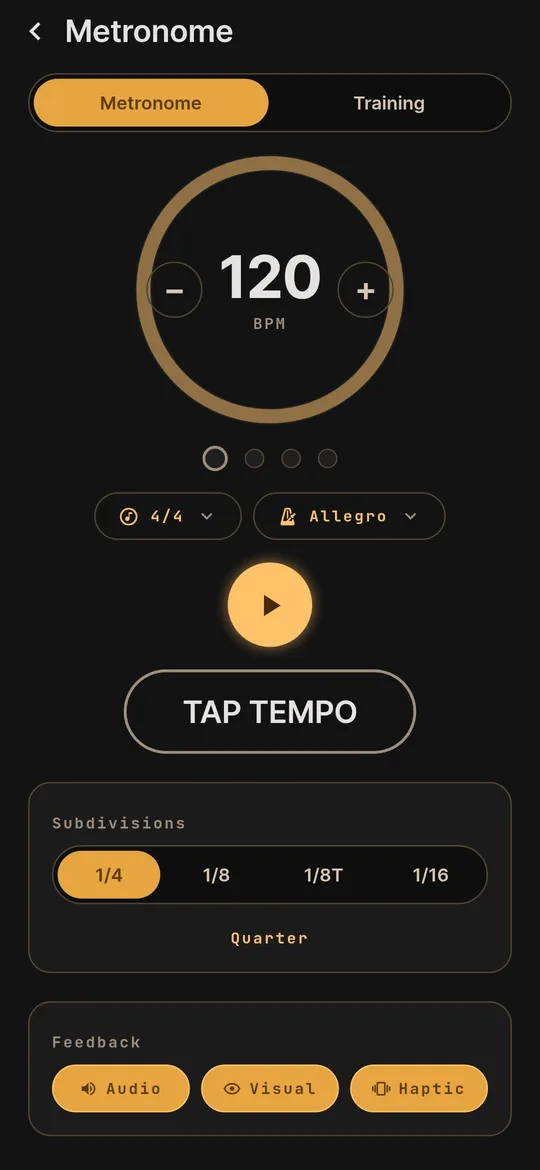
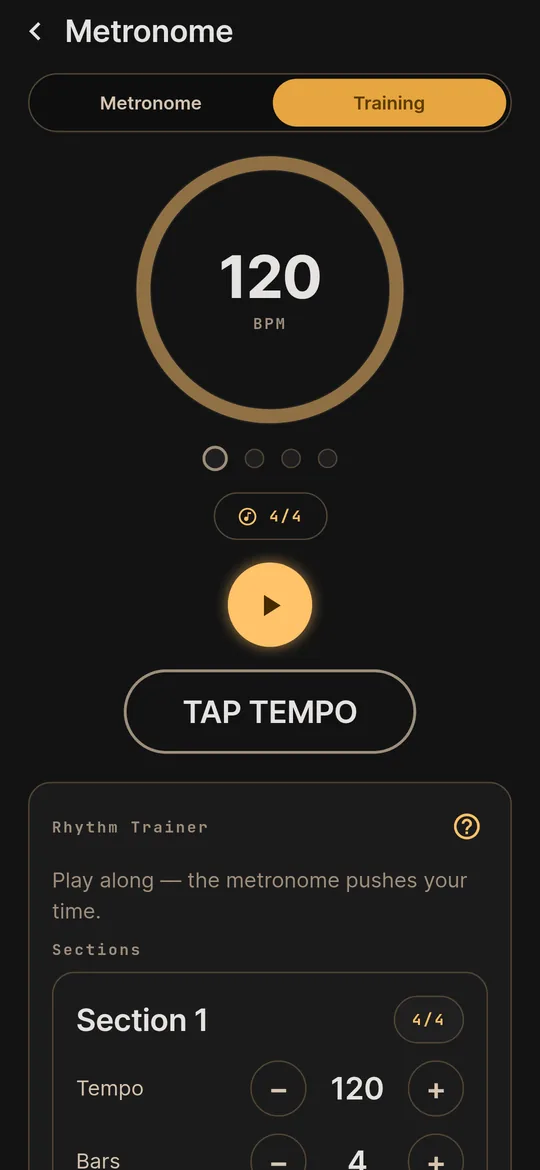
On your phone, the Metronome puts tempo, time signature, subdivisions and tap tempo on one screen. The Rhythm Trainer sits in the next tab.
- Tap tempo. Tap along with a song and the app finds the BPM.
- Subdivisions. Eighths, triplets and sixteenths on top of the quarter note, to train your strumming hand.
- Tempo markings. Pick one by name, from Grave to Prestissimo, and the BPM follows.
- Rhythm Trainer. Play along in sections, each with its own time signature, while the metronome holds your time.