Fretboard
Pick your instrument and see every note on the neck, from fret 0 to 12. Choose a root and a scale to light up only its notes, and tap any fret to hear the note. It helps you memorize the neck and see the shape of a scale before you play it.
| 0 | 1 | 2 | 3 | 4 | 5 | 6 | 7 | 8 | 9 | 10 | 11 | 12 | |
|---|---|---|---|---|---|---|---|---|---|---|---|---|---|
| E | E | F | F# | G | G# | A | A# | B | C | C# | D | D# | E |
| B | B | C | C# | D | D# | E | F | F# | G | G# | A | A# | B |
| G | G | G# | A | A# | B | C | C# | D | D# | E | F | F# | G |
| D | D | D# | E | F | F# | G | G# | A | A# | B | C | C# | D |
| A | A | A# | B | C | C# | D | D# | E | F | F# | G | G# | A |
| E | E | F | F# | G | G# | A | A# | B | C | C# | D | D# | E |
Tap a fret to hear the note.
How to use it
- Pick your instrument in the tabs above. The map shows the notes on every string, from fret 0 to 12.
- Pick a root and a scale to light up only its notes.
- Tap any fret to hear the note at that spot.
What it is for
Knowing where every note sits lets you find chords and scales anywhere on the neck, without relying on ready-made shapes.
- Memorizing the notes on each string, one string at a time.
- Seeing the shape of a scale before you play it.
- Finding the same note on another string, to move to a new area of the neck.
- Checking by ear that you are on the right fret.
In the app: the Scale and Chord Positions screens
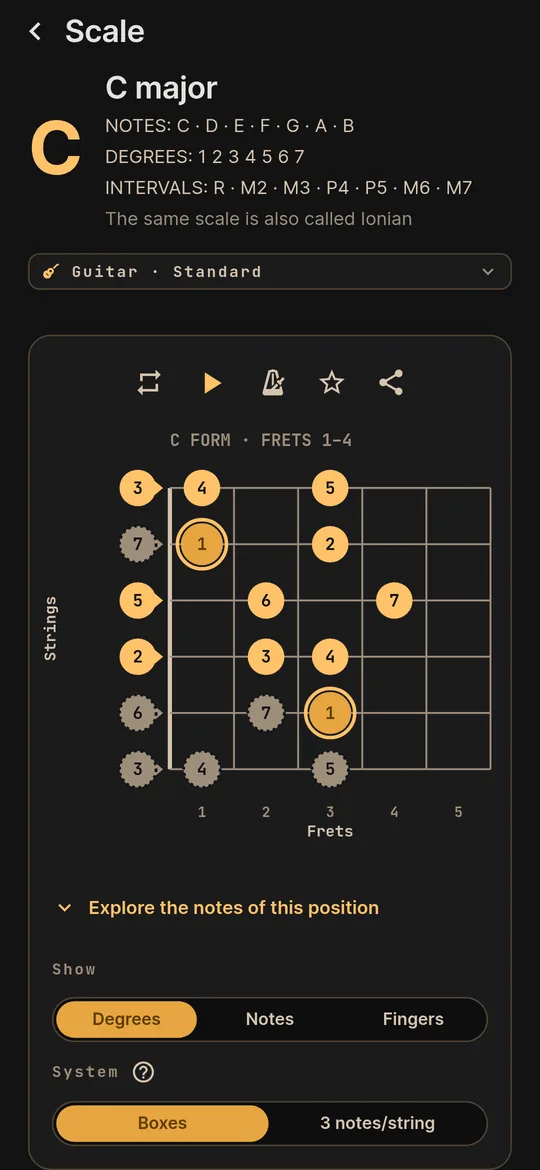
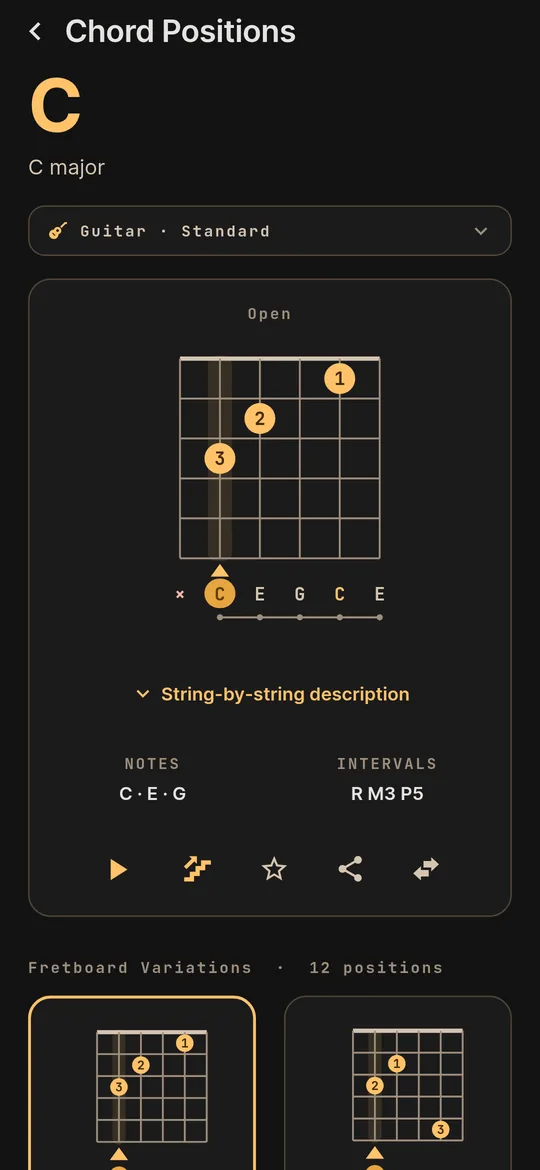
On your phone, the Scale screen draws the whole scale on your instrument's neck, and Chord Positions shows the other positions of each chord.
- Degrees, notes or fingers. Choose what each dot on the neck shows: the scale degree, the note name or the finger.
- Boxes or three notes per string. On six-string instruments, the scale comes in boxes or three notes per string. In the major modes, with the CAGED shapes named.
- Chord Positions. The diagram, notes, intervals and other positions of each chord, with the difficulty and the sound.
- On your instrument. Everything on the neck of the instrument and tuning you pick.